





Student checklist
50+ tips on how to stretch your student loan

With student maintenance loans lagging behind inflation, it's even more important to budget carefully and look out for ways to save cash. Our student MoneySaving checklist has tips to help get you through university or college without a serious debt hangover.
-
The truth about uni fees, loans & grants
It's a political football that's often kicked in the wrong direction. Our job is to avoid the politics and instead focus on the practical financial realities – how much university really costs.
If you're a student from England who started uni or higher education in 2023 or afterwards, or are yet to start, take a look at Martin's six need-to-knows about Plan 5 student finance guide. The 'Plan 5' loans launched in September 2023 mark a big shift from previous plans: they've effectively increased the cost by over 50% for many typical graduates and even doubled it for some.
If you started earlier, you're a postgraduate, or you're from Scotland, Wales or Northern Ireland, see our 'Which student loan am I on?' help to find our dedicated guide to how your student loan works.
-
Get student council tax discounts

Local authorities control council tax support. Each one decides what help to offer its residents. Ask your local authority what discounts and benefits are available in your area, but here are the basic rules for wherever you're living:
Only live with students? If you're a full-time student living alone or with other students you don't need to pay council tax, whether there's two, three or even 10 of you living together.
Live with a non-student? The cost of council tax is based on a minimum of two adults living in a home. Some people – like students, people on apprentice schemes and carers (see Gov.uk for a full list) – don't count as adults and are known as 'disregarded people', which means they're entitled to a council tax discount.
So if a student lives with a non-student, the student is disregarded. This means the council tax could be reduced as if only a single person lives there, leading to a potential 25% reduction.
But this poses a moral dilemma. Is it fair for the non-student to pay the entire 75% due, or should the student contribute? Our suggestion is to split the 25% difference, so the non-student pays 62.5% and the student 12.5%.
Live with more than one non-student? Here, while the student again is exempt, because there are two non-students the house has to pay the full 100% charge. So again, it gets complex. The student hasn’t added to the council tax bill, but nor has their presence resulted in a discount.
So again, you'll need to decide if and how you want to split it, though the legal stance is that full-time students aren't liable for the bill if non-students can't or don't pay. See Council Tax Discounts.
To bag the discount... you need to apply to your local council – it isn't deducted automatically. Go to Gov.uk.
-
Nab free cash to study
Whether you're studying full or part-time, there may be a grant or a free course to help. They're dependent on your circumstances so it may not be easy to get one, but there's certainly no harm in trying.

Here's one to get you started. See the Education Grants guide for more.
-
The Scholarship Hub. Peruse a list of all universities and companies that currently offer funding options to UK undergraduates. The site also includes some educational trusts with more generic eligibility criteria.
-
-
Top student bank accounts – get the biggest and longest 0% overdraft to avoid horrid 40% rates

Big banks love tempting students with 0% overdrafts and free stuff, then relying on their custom for decades to come. Here are six key tips to help choose your student account.
Aim for the biggest and longest 0% overdraft deal possible. Most students need an overdraft – where the bank lets you spend more than you've got (at no extra cost) up to a set amount – and the priority is to get the biggest and longest 0% overdraft you can.
Some banks offer overdrafts that are 'guaranteed' – others offer overdrafts 'up to'. If it's guaranteed, you'll definitely get the stated limit if you've been accepted for the account (and asked for the max limit). If the account says you can get 'up to' an amount, you'll only get that amount if you have a good credit record.
Often, you'll be offered freebies such as a railcard for opening an account, but don't make your decision purely on a freebie, as the overdraft is the main consideration. More, including our top pick accounts, in Best student bank accounts.
Never go over your overdraft limit. This is a lifelong rule. Go beyond your limit and charges shoot up, leaving you in a vicious cycle that's tough to escape.

Beware: you will be credit-scored. When you apply for any debt product, including an account with an overdraft, the lender will credit score you to decide how desirable a customer you are. See the Credit rating guide for more.
Don't base your choice on the closest branch or ATM. You can withdraw cash free of charge from any bank's ATM and almost every bank offers online access. So which branch is nearest has little relevance for most able-bodied students. To compare, just examine what's on offer and go for the best deal.
Don't just go for the one with the best freebie (but do weigh them up). Calculate the value of the freebie, and then compare that account's overdraft with the best on offer. Would the interest charged on the difference be more than the cost of the freebie? Santander is our top pick, as its overdraft is guaranteed, plus you get a free four-year railcard (normally £100).
You'll need to apply for any overdraft increases. Students must apply for overdraft increases on certain accounts, even where the guaranteed maximum rises each term or year.
See the Student accounts guide for the full list of top bank accounts, plus masses of tips to help you choose.
Also arm yourself with knowledge of how interest works with the Interest rates guide. It's worth getting your head around the basics now so you aren't stung in future.
-
Don't get the 'spend it before it goes' bug
When loan cash arrives, it's all too easy to celebrate with a big blow-out.
But while it may be tempting, don't do it. Instead read the budgeting tips point below, and use the free UCAS budget planner.
-
Don't overpay tax on any jobs you do

If you work during term time or over the summer to keep yourself afloat, make sure you're paying the right amount of income tax.
Students are taxed just like anyone else. If you earn less than £12,570 a year, you shouldn't pay any tax, whether you're 20, 30, 40 or 50.
If students are employed (not self-employed) and taxed via Pay As You Earn (PAYE), they are automatically charged tax on earnings, so may need to reclaim it. Crucially, even if you only do summer or temp work, you'll be taxed as if you'd earn that rate all year.
If you're a student and total earnings for the 2022/23 tax year came to less than £12,570 (the 2023/24 personal allowance), and you paid tax, see the Gov.uk website for how to apply for a refund.
If you’re working throughout the whole year, but still need to reclaim, you need to wait until the end of the year and reclaim tax then.
If you know you're only working for a short time, eg, just the summer, then you can fill in a P50 to reclaim tax back at that point. You need to wait four weeks after your last day at the job to make the claim.
Check what tax you should pay. Use our Income Tax Calculator to get the true picture.
-
20% off Nike, 20% off River Island, 11% off Boots & more – how to nab the best student discounts

Even if a store offers a discount to students, you often need more than just your university ID card to qualify for it. A number of websites have popped up in recent years (such as Unidays), which are free to sign up to, and offer exclusive discounts when you shop online and in certain stores.
We've the full lowdown on which sites you should join to bag the best discounts on your uni essentials. Plus what you need to do to get money off the big retailers offering discounts direct to students, such as Apple, Boots and Spotify.
Unidays: 20% off Nike, 20% off River Island, 15% off MAC, 11% off Boots and more
Student discount site Unidays is free to use and offers a range of ongoing discounts. You'll need an active .ac.uk email address to sign up.
At the start of the new university year, lots of deals are boosted to entice new students to sign up. But it's well worth keeping an eye on the Unidays website throughout the year for new offers.
What offers can you get?
Current deals include the following (see the Unidays website for a full list):
-
20% off Nike
-
20% off River Island
-
20% off Holland & Barrett
-
25% off M&S Food on the Move
-
20% off New Look
-
20% off Holland & Barrett
-
15% off MAC
-
11% off Boots
-
£15 off your first Deliveroo order
Student Beans: 'Free' Gregg's, £20 off £150 at Ikea and more
It's also worth signing up to Student Beans to get access to even more discounts. It's free to join, and you'll need to verify your student status using your university email address. Some of its deals can only be redeemed via its app.
Although many of the discounts on offer can be accessed via Unidays, it does have the odd exclusive deal. Here are a few we spotted that Unidays didn't offer:
-
'Free' Gregg's sausage roll (when you buy a cold sandwich deal)
-
£20 off £150 at Ikea
Vouchercodes: extra discounts & 'free' Amazon vouchers
It's well worth adding Vouchercodes to your checklist when looking out for deals and student discounts online. It has a special student section called VC Students, offering additional deals if you sign up and verify your student email address.
As well as discount codes, it sometimes offers 'free' Amazon vouchers when you spend a certain amount at a retailer. These deals work a little like a cashback site, as you need to click through to the retailer from Vouchercodes, so it can track your purchase.
It's worth noting the VC Student deals aren't always as strong as those you'll find on Unidays or Student Beans. For example, when we checked, Vouchercodes was offering 10% off New Look (15% for menswear), but Unidays gets you 20% off.
Get six months' free Amazon Prime

There's a version of Amazon Prime specifically for students – Prime Student*. It gives all those aged 18+ who are in higher education access to free one-day delivery, Amazon's video streaming service, its Kindle lending library and photo storage – plus some student-specific discounts.
Students can get a six-month trial free (which excludes Kindle library services). You need to sign up with a valid .ac.uk email address or other form of student ID. Don't forget to cancel if you don't want to continue or you'll be charged (to cancel, go to Manage Your Prime Membership).
If you decide to continue, bear in mind it will cost £4.49/month or £47.49/year for membership (the non-student version costs £95/year).
10% off Boots and Superdrug
You can get decent discounts on your toiletries now that both Boots and Superdrug offer a 10% student discount.
Here's how to save:
-
Boots offers a 10% student discount online and in its stores, which anyone with a Boots Advantage card (the store's loyalty card) and valid student ID can get.
To get the discount, you'll need to take your Advantage card and ID to the checkout and ask the cashier to link them. You'll then get 10% off whenever you use your Advantage card in a store or online.
Some products are excluded, such as NHS prescriptions, infant formula, Dyson products, mobile phone top-up cards, gift cards, and postage stamps. See the Boots website for the full list.
-
Superdrug offers a 10% student discount in its stores and online. It's available to anyone with a valid student ID and a Health and Beauty card (Superdrug's loyalty card).
Similar to Boots, you'll need to take your Health and Beauty card and student ID to the checkout and ask the cashier to link them when you make a purchase. You'll then get 10% off whenever you use your card in a store or online.
50% off ad-free Spotify and Apple Music

There are plenty of free music streaming services, and if you don't mind putting up with ads then you can't beat the price. But if you want the full ad-free service, you'll need to stump up the cash for it.
Fortunately two of the biggest names in the business, Spotify and Apple Music, offer student memberships for £5.99/month (normally £9.99/month). Unidays offers one month of Apple Music free before the discounted rate begins.
Apple Music uses Unidays to verify your student status. With Spotify, you'll need to enter your university email address.
Get up to 10% off Apple products

Let's be honest – new Apple products are rarely MoneySaving, so if you're determined to buy, make sure you've budgeted properly. But Apple's student discounts are pretty generous, and can save you a fortune when you're forking out £100s.
You can get up to 10% off Macs and iPads, and a gift card of up to £120 when you buy certain products via Apple for Education* until Monday 21 October.
10% off Co-op and more with a £15 Totum card – is it worth it?

The paid-for Totum card unlocks a number of exclusive student discounts in the UK, both in-store and online, and it also doubles up as an International Student Identity Card for use abroad. It costs £14.99 for a one-year card, and you can currently pay £24.99 for a two-year card, and get a third year free.
Anyone aged 16+ and studying in further or higher education either full-time or part-time can get one. Your course must have started, and there's no upper age limit.
See a full list of Totum discounts here.
Is it worth it?
It's worth bearing in mind that plenty of discounts are available for free using your institution ID card, or other student discount schemes like Unidays or Student Beans. So check whether places you usually shop at accept those first.
Otherwise, simply work out what you expect to spend and do the maths to see if it's worth it for you.
Get discounts even AFTER you graduate
We've uncovered a nifty trick that means you can continue to get student discounts even after your course ends. Totum says students with an active .ac.uk email address can buy Totum cards right up until the last day of their course.
This means that your Totum card will be valid even after you graduate and your standard university ID card expires. If you reckon you'll save more than £15 over the course of a year using the card, it could be well worth buying one towards the end of your course.
-
-
Legally avoid paying the TV licence fee

Since 2016, anyone that uses BBC iPlayer – even just for watching catch-up TV – needs a TV licence, as well as anyone watching or recording live TV. See Do I need a TV licence? for the full low-down.
However even if you do watch live TV or iPlayer, there's a loophole specifically for students which allows some to avoid this. Crucially, you don't technically need a TV licence if:
Your parents have a TV licence, and
You live with them outside term time, and
When you're at uni you only watch on a device that isn't plugged into an aerial or a mains socket at the time.
Even if you're only watching TV or BBC iPlayer on your laptop, if it's plugged in at the time you WILL need one though – see TV licence student loophole for full info.
If the loophole doesn't apply to you...
If in halls of residence you'll probably be covered for communal areas, but not your room – do check though. If in a shared house and with a joint tenancy agreement, you'll only need one licence for the household. But if you've separate agreements, you'll need one for your room.
If you have paid for a licence, get a refund for the summer
If you bought a TV licence during the academic year, and you're going home over the summer, you may be eligible for a refund when you leave your uni digs, if you've already paid for the period you won't be there. For full details, see Student TV licence refund.
REMEMBER, watching live TV or using iPlayer without being covered by a licence is against the law. Fee dodgers face prosecution and a fine of up to £1,000.
-
You can save on energy with a fixed tariff
Due to the energy price crisis, there haven't been many options to save on energy bills for some time (other than cutting back on how much you use), and most households are paying Ofgem's price-capped rates.
But there are now several fixed deals that look like a good option, and are open to new and existing customers. If you're a renter, and pay directly for energy bills, see Should I fix my energy or stay on the Price Cap? for full details, and try our Cheap Energy Club for a comparison of the top deals.
For more help and info, here's a collection of relevant MSE guides:
-
See What is the energy price cap? for what it is and how it currently works.
-
See How to switch your energy for all your switching questions.
-
See What to do if you're struggling to pay your energy bills, which explains extra support available.
-
See Energy saving tips for simple ways to cut back on your usage and Energy mythbusting for less clear-cut energy tips.
-
See Heat the human not the home for ways to save energy and stay warm with thermals, electric blankets & more.
-
-
Find the cheapest broadband deals
Most of us need to be online, whether it's for doing work, streaming Netflix, playing games or keeping up with TikTok trends. Some people pay a hideous £45/month for slow broadband speeds, but most people can halve that, or better.
So rather than agreeing to a pricey contract, check out our Broadband comparison tool to find the top deals.
Even if you're renting, you have a right to switch to the best deal. You don't need permission from your landlord unless you need a new line, or if your broadband is included in the rent.

Get FREE Wi-Fi when you're out and about
There are plenty of places offering free internet, if you need to use it on the go:
-
Get it for free at uni. If your campus has free internet access or Wi-Fi, it's well worth using this if you can. Use the uni's computers (or charge your laptop at uni) and you won't have to pay for the electricity either.
-
Get it for free on the high street. Free wireless internet's the norm at high street cafes and pubs now, rather than the exception. Wetherspoon and Walkabout pubs offer all customers unlimited Wi-Fi access, as do McDonald's restaurants nationwide, and many more.
-
-
Don't forget water bills
Again, if you aren't in halls, check with your landlord to see if your water bill is included in your rent. If not, remember to budget for it, using the table in the Water Bills guide for a rough indication of how much to expect.
-
Don't buy new books – rent, borrow or buy second-hand instead

At the start of a new term, it's likely you'll be given a list of books you'll need over the year. Depending on your course, some textbooks can really break the bank and leave you out of pocket.
The uni library is likely to have the texts you need, but in the first few weeks of term there's usually a rush on them, meaning you could be left waiting. So, instead of buying them new, see if the local library has a copy. At the very least you can take time assessing how often you'll need it.
Alternatively, scout around campus, department noticeboards and even Amazon and eBay (see our Amazon tips and eBay buying tips for help) for anyone selling books they no longer need. If no new editions have been released since they bought them last year, you're getting exactly the same book, possibly just with a worn-in look. Charity shops are also good for cheap textbook hunting, especially in your university town.
And thanks to the internet, consider year-long book rentals. Sites like VitalSource will loan you the e-version of textbooks for up to a year, for up to 80% less than buying the text new – though of course, always compare prices before renting.
Students are also often able to get free access to specialist resource websites via their university, although sometimes you will have to be on campus to sign in. The library will be a good place to start to see which are available to you.
-
Ensure parents pay their share
Your parents may decide to give you money to help while you're at uni, if they can afford it. But for most, the amount of maintenance loan you get depends on your parents' income – those who come from wealthier homes get a smaller loan.

This is because your parents are expected to contribute. If you don't get the full loan, while there's no way to force them to pay, and they're not legally required to give you money, it's well worth having the conversation with them in advance about whether they'll contribute.
Watch Martin Lewis cover this issue on his live TV show earlier this year.
Show this to your parents. This can be a thorny area, yet their contribution can make a big difference while you're studying. Broach the subject sooner rather than later, and feel free to show them this tip and our How much should parents give kids for uni calculator for full details on how it all works.
-
Bag Microsoft Office for free – plus other software
Most students and those working in education with an academic email address can get Microsoft's entire Office suite of programs, and other freebies, for zilch.
To see if you're eligible (those at 99.9% of universities and a large number of schools and colleges are), enter your academic email address on the Office website. You'll be asked to log in through your institution's online portal and if you're eligible, you'll be redirected to a page where you can download the software.
You can also get a certain amount of free online storage with OneDrive – for full details see Microsoft Student Freebies.
It's not just Microsoft either - here are some other useful software freebies:
For typing, spreadsheets and presentations: The LibreOffice software suite includes a word processor, spreadsheet, presentation, database and design package. Handily, it's compatible with many Microsoft documents, and is available for PC, Mac and Linux.
For image editing: If you're after something for basic cropping and editing, Paint.net is easy to use and PC-compatible. For a more advanced photoshop equivalent, GIMP is a powerful tool with free add-ons and (PC and Mac), while Inkscape is handy for scalable vector graphics and works on PC, Mac and Linux.
For music and videos: One of the most widely compatible media players available, VLC Player can cope with pretty much any music or video format you throw at it. For recording, Audacity lets you add effects and create soundscapes from scratch. Again, both are available for PC, Mac and Linux.
Always check any software you put on your computer is suitable and compatible with your existing set-up first. Also see our Free Antivirus Software guide.
-
How to nab FREE food and even get paid to drink (yes, really)

Think there's no such thing as a free lunch? From supermarkets and fast-food chains to high-end restaurants, our guide to How to get free (or cheap) food has tips to grab free grub, including how to get paid to dine out.
Get paid to drink
That's right, you can enjoy many students' favourite pastime and get paid to boot – though this one's mainly for freshers. Those aged 18 or 19 can sign up with Serve Legal as a mystery shopper to check whether establishments licensed to sell alcohol ask for ID at the point of sale.
Visits typically take 3-12 minutes and you'll be paid for your time (typically between £6 and £8, but sometimes up to £20 per visit), plus expenses, and get to keep – or drink – anything you buy.
-
Free eBay tool uncovers hidden local bargains

If you're kitting out your student digs with larger items, eg, a sofa for an unfurnished lounge or a TV for your new room, pick-up only items on eBay are often cheaper as there are fewer bids.
To help uncover 'em, we've built a Local eBay Deals Mapper tool. Just pop in your postcode, tell it how far you're willing to schlep, and it instantly trawls eBay* for local hidden gems.
Always double-check the seller's location, and stay safe when collecting. Go with a friend, or if this isn't possible, tell someone where you're going and arrange to contact them afterwards. Take a mobile phone, and stay on the doorstep if you can. See full safety tips.
-
Learn to haggle

Many places will give you a discount if you flash your student card. But even if they don't offer a student discount, why not ask for one?
Haggling is chutzpah time – never buy without a try. Even if you weren't born with the gift of the gab, it's easier than you think. See the Haggle on the high street guide for tips, and give it a go. After all...
What's the worst that can happen? They say no. They won't chuck you out of the shop or punch you in the face!
-
Check which student loan plan you're on

Knowing which student loan plan you're on is crucial as it affects how much interest you're charged, how high your repayments are, and when your loan gets wiped.
Which system you're on depends on when you started uni, as well as where you're originally from (NOT where you go to study). See Which student loan plan am I on? to find your student loan type.
-
Know your rental rights – including how to protect your deposit

If you're a student the likelihood is you're renting (and relatively new to it too). It's important you know your rights in private digs to make sure unscrupulous landlords don't end up taking advantage.
Here are a few to get you started...
Make sure your deposit's protected. Landlords have 30 days from receiving your deposit to put it into a tenancy deposit protection scheme (where it stays in case of a dispute when you leave). If they fail to do this you could be entitled to up to four times back.
Paying your rent on time can boost your credit score. Private tenants can opt into the free Rental Exchange scheme, which records your rental payments and sends the results to credit reference agency Experian.
Use a free app to track and split bills. The nifty Splitwise app will track your household bills and expenses, work out who owes what to whom and let you and your housemates request payments from each other.
See 50+ Tips for Renters for your full renting rights and other need-to-knows.
-
Do a proper budget

This is where you match up money coming in with what's going out. It's incredibly important to budget – you may have a great first week splashing the cash, but spend the rest of term struggling to survive.
Knowing how much income you'll have is essential as without this your budget will be nonsense. While the rule for working people is that they shouldn't spend more than they earn, no one says what students shouldn't spend more than.
Martin's rule is count your income as your student loan + any grant + any cash from parents + any work income and don’t spend more than that. Note this doesn’t include your 0% overdraft (that’s for emergency cash flow issues only).
No matter where the money comes from, the golden rule is to NEVER spend more than your income.
Don't forget other costs, like a TV licence or toilet roll. They aren't fun to buy, but are even less fun if caught without 'em.
For the full steps on how to run a budget, see our Student budgeting guide.
Treat yourself to a makeover. Nope, we're not talking face packs and cucumber slices. For the biggest savings, give yourself a full Money Makeover. This overhauls your finances, from mobile bills to contact lenses. It'll take time to work through, but it's time well invested.
-
A company's job is to make money from you

As the year goes on, the costs of starting higher education quickly add up. So before you shell out on extras, don't forget: a company's job is to make money from you.
Don't swallow companies' promises and marketing. However well you budget, you will have to spend on tuition fees, books, transport, living expenses and, of course, socialising.
So always remember these companies want your cash and look with a sceptical eye; you'll make better decisions.
-
Don't assume student insurers are cheaper
Home contents insurance for a student house isn’t always easy to get. This is often because most policies like to cover the house, not the person, making it tricky if you've flatmates – check our Insurance for renters guide, which will particularly apply to students living together in a house share. Yet if you're still struggling, there are a few tricks to get round it:

-
Check parents' cover. If your parents have home insurance, it may automatically cover you under the 'temporarily removed from the home' section while you're a student. The cover only applies while you're in student accommodation and your parents' home is your main permanent address.
If you need cover for any mobiles or laptops, or items you normally wear or carry away from your home, your parents could also add the 'all-risks' or 'unspecified personal possessions' section to their policy, which specifically covers your stuff while it's out of their home. Many policies allow this, so it's worth checking.
-
Don't assume student policies are cheaper. Comparison sites can work for you and provide online quotes in rented rooms or shared accommodation but take note of the important warnings before committing to buy. You really need to check, and check again, that the policy that comes out top does meet the cover you need as sometimes specific conditions are likely to be put in place.
Another option is contacting a specialist or local broker such as Home Protect*.
It's worth checking the following comparisons to get an indication of cost to compare against a quotation provided by a specialist: MoneySupermarket*, Confused.com*, Gocompare and Compare The Market*. Student contents policies are also available from RBS and NatWest.
As a renter, your landlord is responsible for buildings insurance, so you should only be getting contents cover. As buildings insurance generally covers the building itself (unsurprisingly), this is usually the property owner's responsibility.
Generally, this means you're unlikely to need building insurance if you're renting - but check with your landlord if unsure. -
Lock your doors. If you're in shared accommodation, your insurance won't cover you for theft unless there's been a violent or forced entry. So always make sure you lock your room door when you leave, even if you're just popping out briefly.
-
Check if your bike's included. If you're bringing a bike, your contents insurance may cover it. Always check though, and find out how much extra it is to add if not. See the Best bike insurance guide for full tips and info.
-
-
Slash car insurance costs
Finding affordable car insurance can be a nightmare, especially for younger drivers – the average for an under 25-year-old is more than £2,000/year. Our Young drivers' car insurance guide has a step-by-step system to slice off every spare penny for under 25s, but if you're older and heading to uni, see our normal Car insurance guide.

-
Do you really need it? Bringing an unused car to uni can be an expensive and unnecessary hindrance, so consider the alternatives. See how to nab extra travel discounts.
-
Pay when or how you drive. Specialist 'pay as you drive' or 'black box' policies are well worth checking to see if they undercut comparison site quotes. With these, a GPS or tracking device is fitted to your car, so what you pay depends on your mileage and time or driving style. For more info, see the Young drivers' insurance guide.
-
Learner driver insurance. If you're a learner, it often means being added to parents' or friends' car insurance as an additional driver which can up the cost, and put no-claims bonuses at risk. Yet you can get specific policies just for provisional drivers. Find full info in the Learner driver insurance guide.
-
Don't forget to update your address. You can usually keep your parents' address for correspondence if you want, but you need to tell your insurer where the vehicle's usually kept.
-
If you have a part-time job, tell 'em. If you forget to declare it – even if you don't use the car to get to work – it could invalidate future claims.
-
If your car's uninsured while at uni, SORN it. All cars need to be insured unless you declare it's off road. The only way out's to apply for a SORN (Statutory Off Road Notification) declaring your car won't ever be driven - but you must park it on private land, not on the street. See Gov.uk.
Never get someone, such as one of your parents, to add their name as main driver on your car instead of you. This is called 'fronting' and is fraud, and can lead to prosecution.
-
-
Battle your mobile bill

If you regularly face a palpitation-inducing mobile phone bill, there's a mass of tips 'n' tricks to help. Our Cheap Mobile Finder can help you compare deals quickly, whether you're after a new handset or just a cheap Sim.
Here are our top tips to cut costs:
Pick the right contract. Use your bills from the last few months to pinpoint your average usage for calls, texts and data. Then use this to find the cheapest tariff for your needs. See Mobile Phone Cost Cutting for the full step-by-step guide.
Haggle down contract costs. If you'd rather not change network, this can still yield big savings. When you're near the end of your contract, call 'em and ask for the best deal possible - not just on your network, but any out there. See the Mobile Phone Haggling guide for tips on how to give your haggle some chutzpah!
After an iPhone or Samsung? Top-of-the-range new smartphones are never MoneySaving, but you can pay less and get a shorter contract if you know where to look. To quickly compare tariffs, use our Cheap iPhone and Cheap Samsung tools.
-
Split your train tickets

This is the big trick everyone should know. Instead of buying tickets for the whole journey, bizarrely, buying separate tickets for its constituent parts can slash the price – even though you're on exactly the same train.
It's perfectly allowed within the National Rail Conditions of Carriage, and has been confirmed by the Association of Train Operating Companies (ATOC). The only rule is that the train must call at the stations you buy tickets for.
Savings can be massive; it depends on how long your journey is, but we've managed to shave over £200 off a return ticket from London to Durham before using this method.
See Split Ticketing tips for a full how-to.
-
Taking a break? Work out what it'll cost

If you're currently studying, but are thinking of taking a year out, make sure you know how much it'll cost you.
If you're working for part of your year out then you need to be aware that you may pay tax. Earn more than £1,048 in a month, and you'll be taxed. However, if you only worked six months of the year, you wouldn't reach the £12,570 tax allowance so you'll likely need to apply to HMRC for a rebate. If you're not sure whether you should have paid or not, use our tax calculator.
If you're going overseas, budget for your trip – and don't forget travel insurance. Many insurers offer backpacker policies which cover you for extended periods out of the UK, whether you're backpacking or living in luxury.
If you have plans to work abroad or take part part in skydiving, shark cage diving or other risky fun, check with the insurer that its policy will cover you.
-
Quickly turn old mobiles into cash

A mass of companies offer to recycle your mobile for money. This is a really quick 'n' easy way to make extra cash if you've old handsets lying around.
Once you agree to sell, you're even sent a freepost bag for it. For how to quickly find the best payer for your make and model, see our Sell old mobiles guide.
This trick also works for other gadgets, including games consoles, iPods and more. Remember to factory wipe your devices and remove personal information before sending them off.
-
Free festivals, museums & art galleries

Our Free festivals guide has full listings of the top gigs nationwide. You'll find totally free festivals across the UK, covering everything from rock and jazz to carnivals and outdoor theatre.
You'll also find info on how to get into the big paid festivals for free, including the latest volunteer schemes. For example, MSE Sarah has been to Glastonbury Festival for free by volunteering with Shelter.
Alternatively, the Free Museums and Art Galleries guide lists venues across the UK on everything from forensic science to footie. Use 'em for research, entertainment, or even an unusual date on a budget (don't forget your restaurant vouchers!)
Find 'em near you: To find your nearest at a glance, click on your area on the in-guide maps for full listings of venues in your area, plus opening times and what to expect on the day.
-
Don't chuck best-befores away needlessly

Do you know the difference between a best-before and a display-until date? If not, it's likely you're binning a lot of food unnecessarily.
If you need inspiration on turning last night's leftovers into a banquet, see our 12 ways to STOP wasting food and drink and the Using up leftovers forum discussion for ideas.
-
Nab a third off coach travel for £15/year
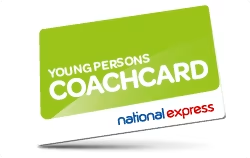
The coach can be an economical alternative to pricey train fares (even if you do have a railcard), and if you're aged 16-26 or a full-time student, National Express' Young Persons Coachcard can make it even cheaper.
It costs £15/year (or £35 for three years) and gives a third off all standard fares – peak times included.
-
Not all debts are the same
It's easy to think "I've got to get a student loan, why not borrow a little more?". But you need to understand how special student loans are.
Not all debts are the same, and no other loan only needs you to pay if you're earning enough. With others, it'll never go away. They'll chase you even if you can't afford it, and the interest is higher and will multiply at speed. Remember:
Some debts, like student loans, are much better than others. Be very careful taking any other form of borrowing.
Sadly in the UK, students are educated into debt but never about debt. Many in authority concentrate on telling students to avoid debt – which is impossible – rather than focusing on avoiding bad debt.
Ditch your spending demons: Use the free Demotivator tool to instantly see the real cost of your non-essential spending, from mags to chocs. Then print and stick the results on your wall to help you stop buying 'em.
-
Try the supermarket Downshift Challenge

This is a quick 'n' easy way to make decent savings on your grocery shopping, particularly if you're still just buying big brands you're used to at home.
Over the years, supermarkets have hypnotised us into spending more by making us move up the brand chain. Many people gradually buy increasingly more expensive versions of the same thing. So here's the challenge:
Drop one brand level on everything and see if you can tell the difference. If you can't, stick with the cheaper one.
Drop just one brand level on everything and the average bill's cut by 30%. On a £20 weekly shop, that's over £300 a year less. See the Supermarket Shopping guide for tips.
Do your homework: For extra discounts, get into the habit of checking the latest Supermarket Coupons before you shop. If you tend to pop out for milk and loo roll only to return with a trolley full of impulse buys, take five minutes to make a shopping list before you go – and stick to it.
-
The best things in life are freebies!

There's a mass of goodies available for free at the click of a mouse, if you know where to look. Check out these MSE pages for help tracking them down:
Hot Bargains. Our Deals team regularly update this page with freebies and other cracking deals, eg, free Krispy Kreme doughnuts, hot drinks and more.
Birthday freebies. We've compiled a list of the best birthday offers and freebies, most of which you can get by simply signing up to free newsletters or loyalty cards. They include free cupcakes, drinks and £5 vouchers for Hotel Chocolat and Body Shop
How to get free food. From free burgers to mystery dining, we've lots of ways to nab free (or very cheap) food.
-
Don't stick with student accounts after uni

Don't stick with your student bank account when you graduate. By switching to specialist deals for graduates, you may be able to gain £100s a year.
This is because many offer special terms that are unavailable to other people, such as 0% overdraft deals for up to three years.
Picking the best can save you serious cash on your overdraft. See Graduate Accounts for the top picks.
-
Sell old CDs, DVD and games (if you even owned any in the first place)
Several sites let you quickly trade in old CDs, DVDs, computer games and Blu-rays for cash. The sites are easy to use and give instant quotes, so if you've got loads to get rid of, you could speedily make a bit of extra money.

Sites to try include Music Magpie* and CeX. To do it, type in the barcode, ISBN or product name on the site to get an instant valuation. Each site is different, and some offer more for certain items than others, so always compare a few.
Once you've compared and found the top payer for your items, you simply accept the valuations and send your stuff to the them. Postage is usually free, but always check.
Always ensure items are packed well, as, in most cases, any that fail basic quality checks won't be sent back to you. You'll then get paid, either by cheque, bank transfer, vouchers or store credit, depending which service you've used. For full info, plus other easy ways to make extra cash while you're studying, see the Boost Your Income guide.
Flog it: For more recent items you may be better off selling 'em individually on eBay and the like. Check out the eBay, Vinted and Facebook selling guides.
-
Get paid for your opinion
It's possible to earn £100s a year to take part in online surveys, which are often short enough to fill in during breaks between lectures. Find the full list of top picks in the Survey Sites guide, including some which pay up to £10.
-
Warning! Store cards are the devil's debt

Most store cards charge a hideous 30% interest or more, and even the best aren't cheaper than bank's credit cards, so don't get sucked in by the sales patter.
They work and feel very much like credit cards, except that while credit cards can be used anywhere, store cards can often only be used in a specific store or group.
Yet they've exorbitant rates, and are often aimed at the young as stores assume they're an easy target.
Stores hide the fact this is debt.
The common sell on the card is a 10% introductory discount, which sells people into debt whilst never explaining the consequences. Don't get burned – read How do credit cards work?
-
Look for a quirky part-time job
While studying's a priority, it's commonly accepted many students will work. So if you don't have enough cash, don't overborrow (and especially don't get a payday loan) – try to find a job instead.
Babysitting, supermarkets and the library are all handy places to start, but it can pay to think outside the box too. Some earn from working as a TV extra, or even for participating in medical trials – see our Boost your income guide for some more unusual ideas.
Former-MSE Megan got paid to go lectures:
I used to get paid about £13/hr to take notes in other students' lectures (eg, if they had broken their arm and couldn't do it themselves). I found the work through the university's job centre and had to go for a quick test. It was the perfect student gig as it fit around my lectures and unusually for student work was very well paid.
And ex-MSE Rosie had an even more unusual job:
I got paid to take part in psychology and neuroscience experiments, earning around £10/hr – in some you could earn more for good performance. More exciting ones involved virtual reality headsets – all while contributing to scientific research. Some of the braver participants were even given electric shocks (not me).
Be the early bird: The earlier in the year you try to get work, the better your chances, so try to apply before other students.
-
Not good with cash? Teach yourself
It's likely you came out of school with very little – if any – training for the consumer decisions you'll have to make every day as an adult. Martin says...
Companies spend billions of pounds a year on marketing, advertising and teaching their staff to sell, yet we don’t get ANY buyers’ training.

In 2018, Martin funded 340,000 copies of the first ever curriculum-mapped textbook in schools. Your Money Matters is aimed at students aged 15 to 16, and teaches about topics such as savings, budgeting, borrowing, student loans and identity theft.
It was written by the financial education charity Young Money with guidance from Martin. It's available as a free 150-page PDF download for anyone who wants it. Many grown-ups learn from it too.
There's also MSE's Academy of Money – a free online course developed by MSE and Open University. Get educated on budgeting, taxation, borrowing and more across 12 hours of study.
-
Consider getting a railcard

Consider a 16-25 Railcard if you spend £90+ a year. These cut a third off off-peak train tickets and tube fares and they're also valid for full-time students of any age – a huge plus.
Cards can be bought from the Railcard website for £30 a year, or £70 for three years. So spend over £90 a year, even in just one trip, and you'll save.
You can currently get 15% off a one-year railcard if you're registered with Unidays, though check for other railcard deals too as those may beat this. Alternatively, Santander's student account gives a four-year railcard for free – full info in Student Accounts.
For more info on railcards see the Cheap Trains guide.
Trick to nab another year: Don't forget – renew just before your 26th birthday to grab another year, or before your 24th birthday for a three-year card (the same applies to older cardholders about to finish uni).
-
Some students are eligible for benefits

Some students in special circumstances, such as those with kids or disabilities – might qualify for a special support grant instead. This will be the same amount as a maintenance grant.
Under usual circumstances the amount given for your loan might be reduced if you get a grant as well.
However, the plus here is that a special support grant won’t reduce the amount you get for your maintenance loan. For more on what's available and how to apply, see Gov.uk.
-
Learn to cook (!)

There's no need to live off pricey takeaways at uni while longing for a home-cooked meal. Take the time to learn the basics and it'll help to stretch your cash much further, and it's far healthier too.
The forums are a great place to get tips and ask questions. Read the Basic recipes for novice cook discussion to arm yourself with the essentials, while the 50p meals thread has loads of budget recipe ideas. Feel free to add your tips!
Plan your eats: Check out the How to start meal planning and Menu plans discussions, which will help you to only buy food you need.
-
Nab extra travel discounts

If you're off home at the end of term (and you can't coax a friend or parent to give you a lift), it's possible to find extra discounts if you know where to look.
Train and bus companies often discount heavily with regular sales to fill seats. Promotions have included £1 train and bus tickets across the UK, and London to Scotland for under £20. To find the latest offers, check out the Cheap Trains and Coaches deals page.
Cheap train and coach ticket offers go quick. To hear about them as soon as they're released, sign up to the free weekly email.
-
Get free financial advice
The National Association of Student Money Advisers (Nasma) has advisers in many universities – ask your institution's support team for information. Alternatively, local charities Citizens Advice and StepChange Debt Charity also offer free help and support. These can be a massive help if you're struggling financially.
-
Time your train ticket booking carefully
Timing your purchase accurately can make a real difference, either well in advance, or last-minute.
Buy 12+ weeks early.
Everyone knows that if you book early, fares are cheaper. These often disappear quickly, so to ensure a bargain, start looking about 12 weeks before. This is because Network Rail must set the timetable this far in advance.
Train operators commonly, though not always, release cheap advance tickets shortly after. It isn't often dead on 12 weeks, and some are currently trialling much further in advance – National Rail shows the latest date you can buy advance tickets for each train firm.
You can also sign up to the Trainline ticket alert system and say which days you want to travel, so you get an email the moment cheap advance tickets come on sale (commonly the cheapest fares).
Or... get last-minute early booking discounts.
Few realise you can often buy advance tickets till midnight the night before or, in rare cases, at the station. See the Cheap Train Tickets guide for tips.
-
Get extra help and support
Uni can be a stressful time – financial, social and academic pressures can quickly add up. If you're struggling, don't suffer in silence. Talk to your tutor, parents or a close friend if you feel you can, but there are also organisations that can help.
-
Free counselling. Many universities offer free student counselling services. Ask for details at your students' union.
-
Can't sleep? Charity Nightline offers a confidential, anonymous listening and info service specifically for students. It runs overnight from about 8pm to 8am and covers over 100 universities and colleges across the UK and Ireland - see its website for how to get in touch with your nearest service.
Alternatively, Samaritans offers confidential help around the clock.
-
-
Investigate 'uni access funds' - it's possible to get £100s
If you're struggling, many universities have access funds to help. These aren't always advertised, but it's well worth speaking to your uni to find out more and ask for how to apply.
-
Use our Money Mantras before ANY buys
Before spending on anything, use Martin's Money Mantras. If you say 'NO' to any, DON'T BUY!

Get the mantras on the move: To help when you're out, pop the free printable Money Mantra Card in your wallet. Use it to remind you to not to spend when you shouldn't. -
Beware borrowing on credit cards

Be extremely wary of credit cards. These are best avoided while you're studying, as if you don't have an income, you'll really struggle to repay the debts. This means the interest will compound and build quickly, leaving you owing serious cash.
Don't let the affordable-sounding minimum repayments trick you either. Even if you can meet these each month, they are designed to clear barely any of the debt - meaning the cost of borrowing rockets. If you need scaring out of this:
If you borrowed £3,000 aged 21, and only made the minimum credit card repayments, you'd be 50 before it cleared.
See the Minimum Repayments guide for a full rundown of how the system works.
-
Get a YEAR'S 2for1 at cinemas & restaurants with our Meerkat trick
Bag mega savings by using our Meerkat trick, which manipulates Meerkat Movies and Meerkat Meals to give you a year of 2for1 cinema tickets and meals out.
You just need to buy the cheapest product you can find on Compare the Market, which is usually something like a day's travel insurance for a couple of quid, and then you can download the Meerkat app to get the deal each week.
See our guide for the full how-to, but here's some inspiration:
Thanks, I’ll be saving over £400 a year for a cost of £3.
- @pinksuziq72 -
Don't forget your discount vouchers

Before you hit the shops, remember to check our Discount Vouchers and High Street Sales pages for a massive compendium of all the latest vouchers, codes and deals open to all.
And of course, always check for student discounts before you buy.
-
Don't use payday loans to make ends meet
Payday lenders have sprung up nationwide, promising quick cash loans until you get paid. Yet interest rates are exorbitant, and the cost of the debt can easily snowball to epic proportions.
If you're struggling to make ends meet, instead contact your uni's support services team or NASMA representative, who will help with better alternatives.
-
Grab 75% off supermarket food with yellow-sticker discounts
If you bag a yellow-sticker discount you're on to a winner as it's a huge saving on perfectly good nosh (you'll just usually need to use it quickly).
But to help you out we (along with the help of our dedicated Forumites and MoneySavers who work in supermarkets) have put together a table to spill the beans on which supermarkets discount at which time, even including the amount they are likely to reduce products by.
To pin down where you need to be at which time, see our Supermarket shopping tips.
-
Share your tips on the student forum

The Student MoneySaving forum board is a fantastic place to share your ideas and swap tips whether you're after help with student loans or tips on the latest student discounts. It's free to join, so get chatting!

Your tips
Thanks to all the MoneySaving students who emailed in these extra tips below.
Kit out your student house using Freecycle
Freecycle prevents perfectly good items from ending up in landfill by giving them to those who need them. It’s dead easy to use and last year I kitted out my house (wardrobe, mirror, energy saving lightbulbs, bedside table).
There are so many participants it's never short of supply. Just sign up to your local group and off you go. Don’t forget to give back through Freecycle too. [See Freecycle guide]
- Ryan, London South Bank Uni
Use a car petrol contributions tariff
If you are lucky enough to have a car, don't run your fellow students around – place a tariff on your wall with required contributions to your petrol costs.
For example, Tesco £1.50, town £2, pictures £1 (you can also give allocated times for these trips to maximise the income!) If you're going yourself the costs can be reduced, but you will be surprised how the money adds up.
- Caitlin, Uni of Wales Trinity Saint David
Get help with health costs while your income's low
Collect an HC1 form from your local job centre, dentist or GP and you may be able to get help with NHS prescription charges, dental treatment, sight tests, vouchers towards glasses or contact lenses, and even hospital travel costs.
I've had no problems with eligibility and have received these benefits free despite not always qualifying for the full amount of student grant. I was shocked to find out that none of my fellow students had heard of it. [See NHS Choices for how to apply]
- Dan, Edinburgh Uni
Share this guide?